Start a project
sports bar · goiânia, brazil 2026

Daytona Sports Bar

Daytona is a sports bar in Goiânia, Brazil, that shows live games on big screens and hosts concerts and themed nights. We built the bar’s website, the booking system with Pix payment and the panel the staff uses every day.

live · daytonasportsbar.com.br

01 — website

The bar’s website

The site shows which games will be on the screens, the house shows and the menu. Games come in from sports data sources every hour and only show up after the staff approves them.

  1. 18:00
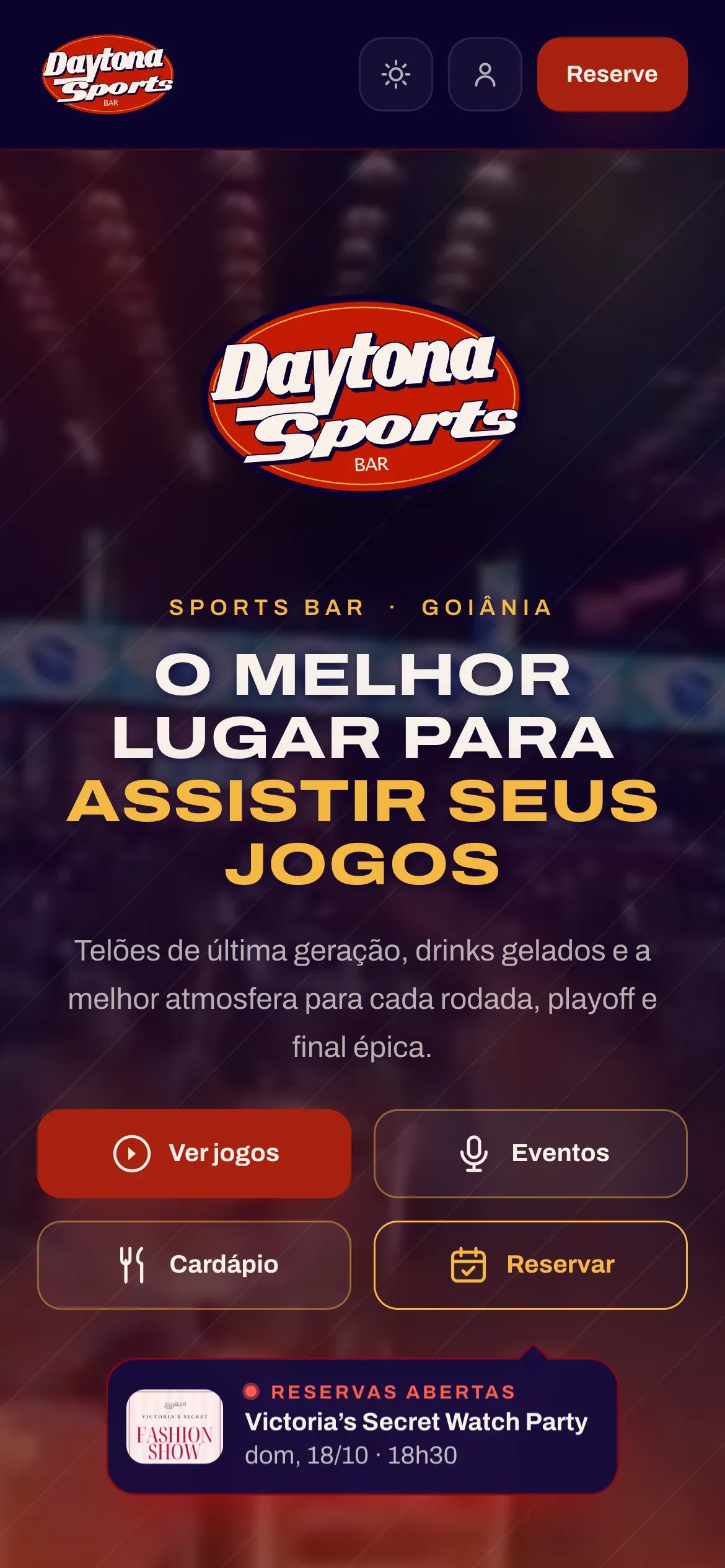
    Daytona’s website on a phone: home with the four buttons

    Home

    • Four buttons: games, events, book and menu
    • “Bookings open” notice with the event’s date and photo
    • WhatsApp and directions buttons
    • Light and dark theme
  2. 19:30
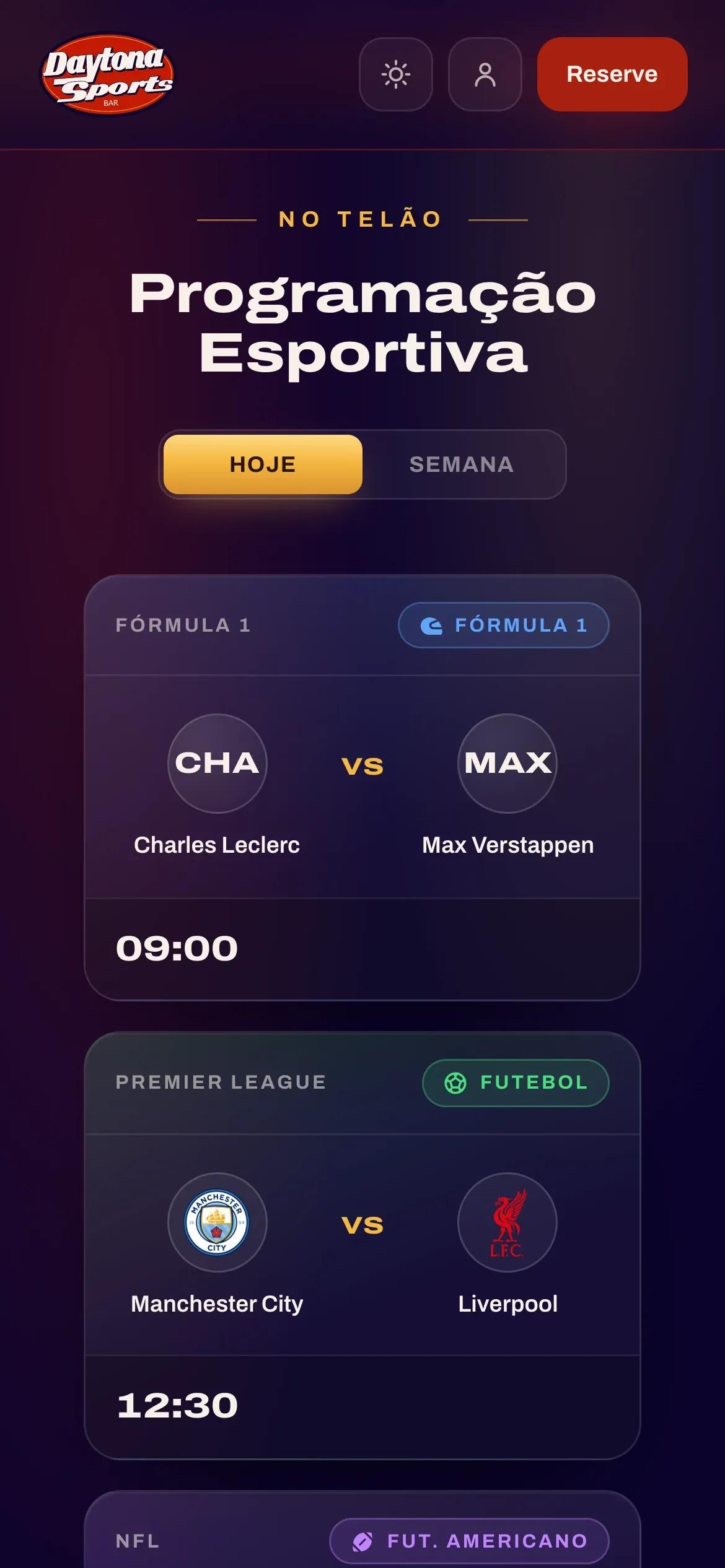
    Sports schedule on a phone, games by time

    Sports schedule

    • Today and Week tabs, covering the next 14 days
    • Competition, crests or photos, time and channel
    • 13 sports, each with its own color and icon
    • House events show up as the first card of the day
  3. 21:00
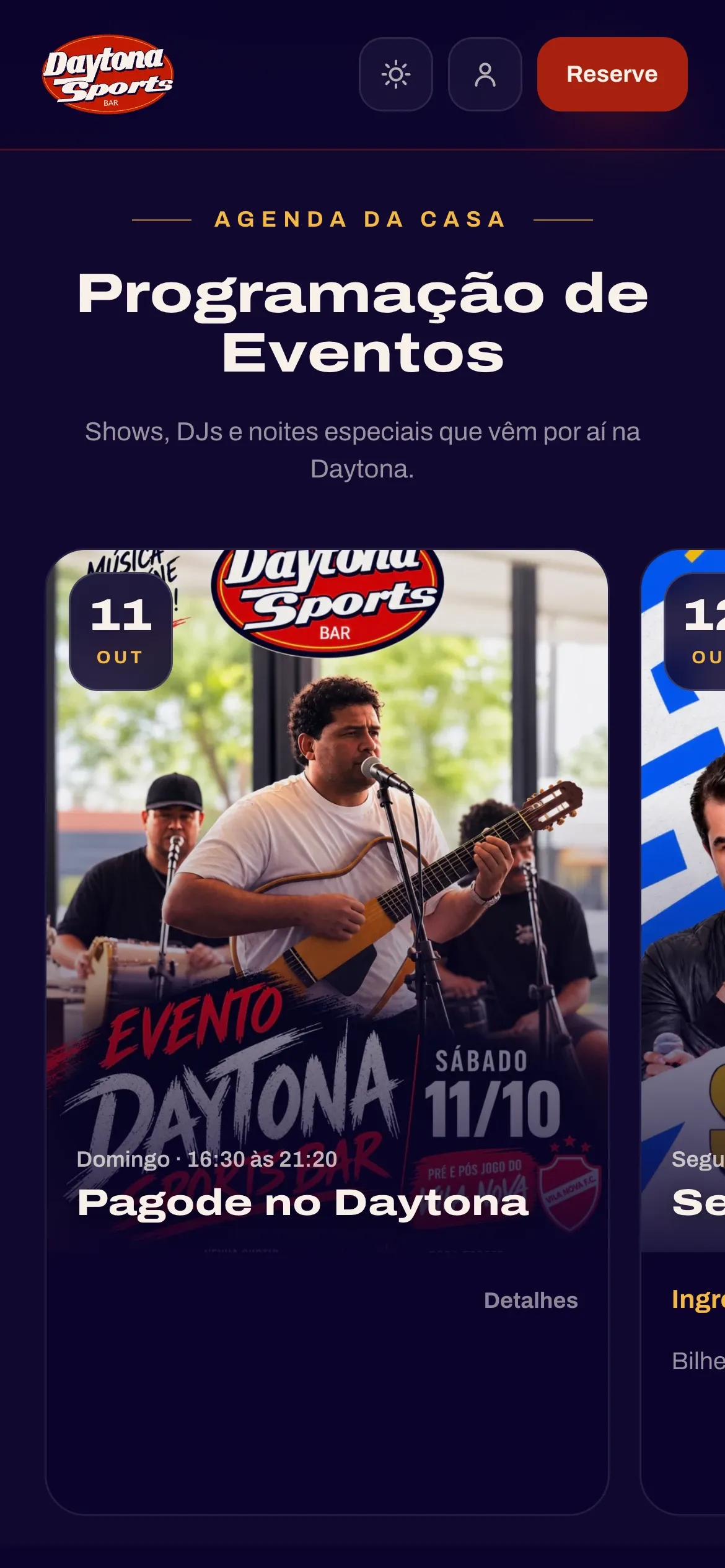
    Events calendar on a phone

    Events calendar

    • Concerts, DJs and special nights
    • Photo, date, time and type of entry
    • Detail page with line-up, contact and gallery
    • Book button or buy-ticket button
  4. 22:30
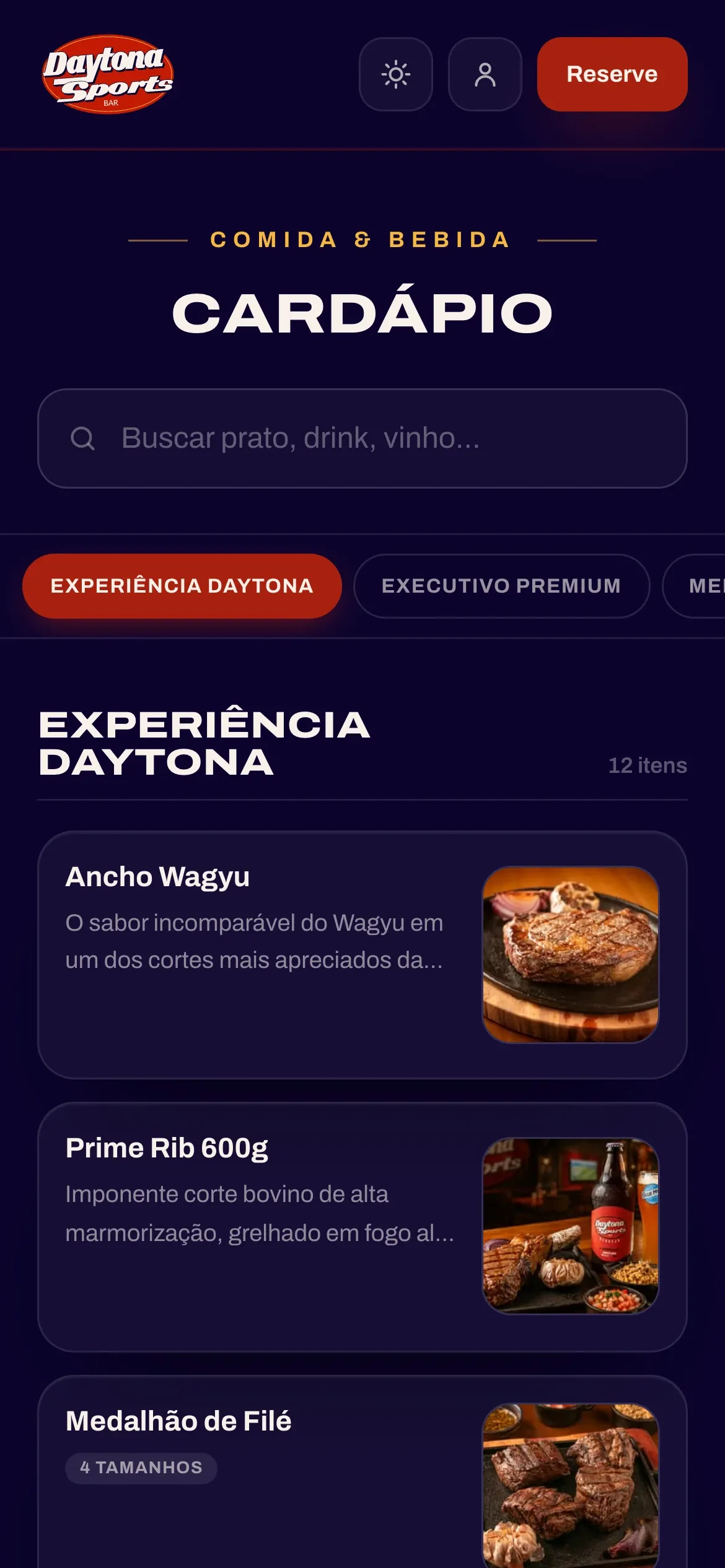
    Menu on a phone, with search and categories

    Menu

    • About 280 items in 15 categories
    • Search by name, description or category
    • Photo, description, sizes and sides
    • Copied from the restaurant’s system at 1 pm and 5 pm

02 — bookings

Bookings

To save a spot, guests pick the event, tap the tables on the floor plan and pay by Pix right away. They can also book a regular day, bring a group or ask for a quote for a private event.

  1. screen
  2. free
  3. taken
  4. selected
  5. area
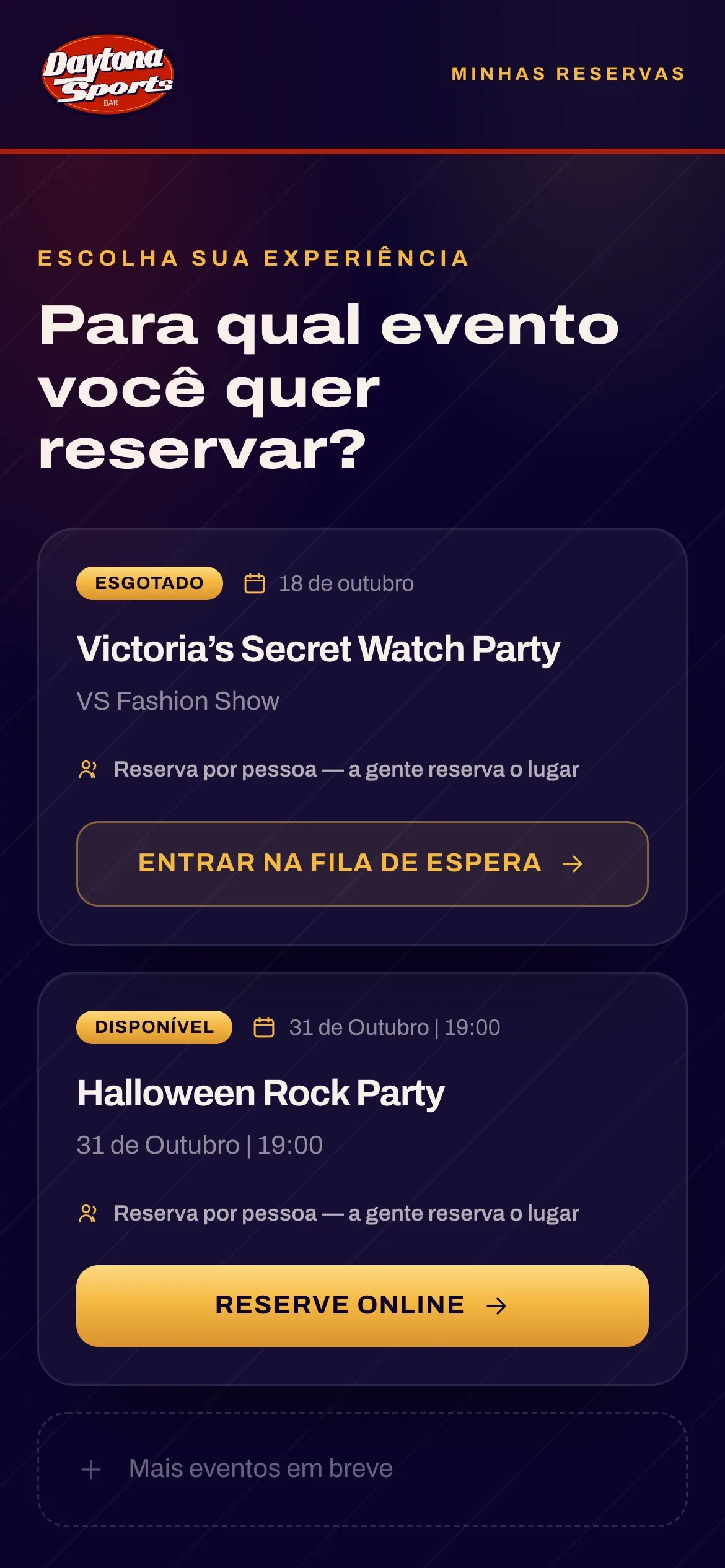
Bookings: list of events to choose from
1 · pick the event
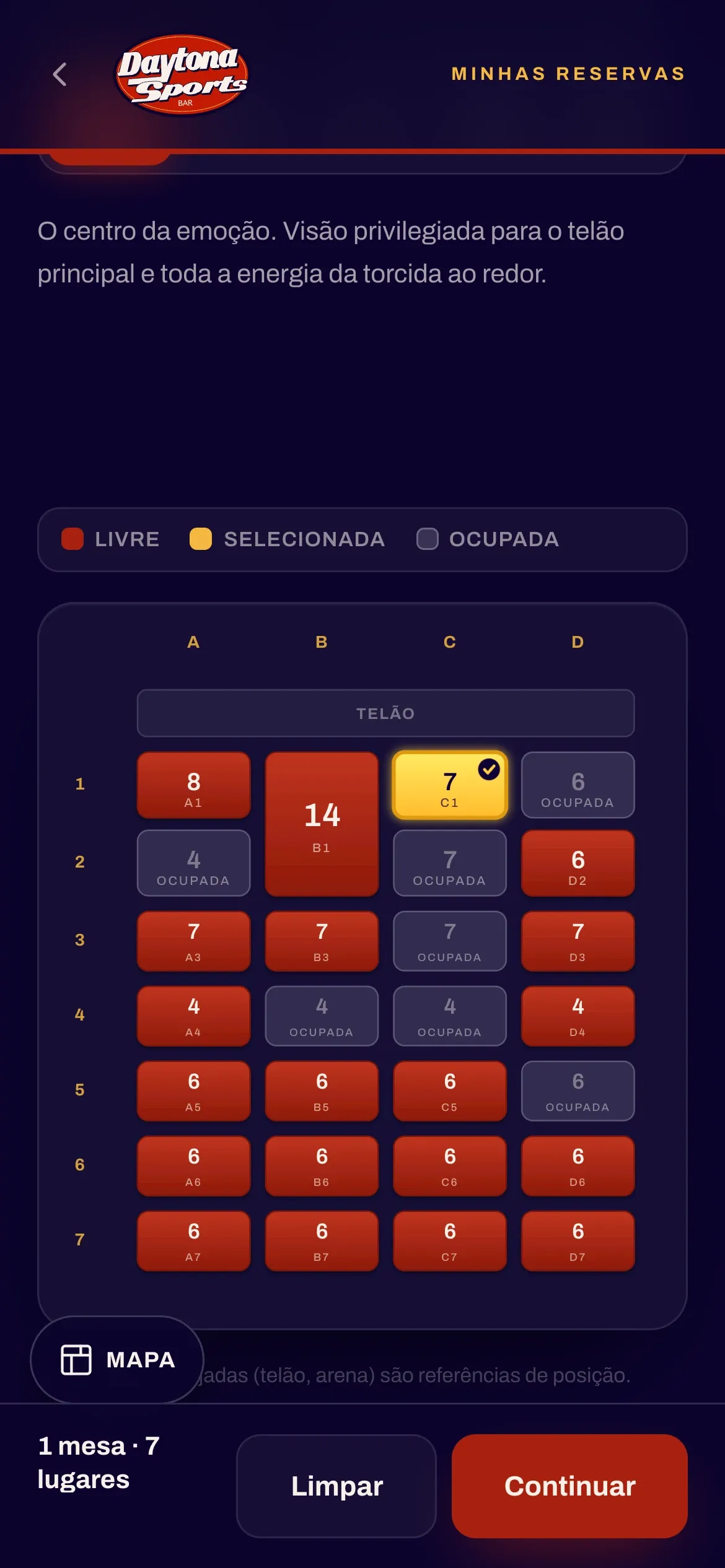
Bookings: Arena table map with free, taken and selected tables
2 · pick the table
  1. R·01

    Table map

    Arena, Mezanino, TV Zone and TV Zone Bistrô areas, with the seats of each table. Up to two tables per purchase.

  2. R·02

    Boxes

    Champions Lounge and Red Lounge, sold whole, each on its own card.

  3. R·03

    Per person

    For events without a map: guests say how many are coming. Can have ticket batches and free events.

  4. R·04

    Pix

    QR code and copy-paste code, with an expiry clock. The confirmation shows up on the same screen.

  5. R·05

    Day and group

    A regular day at the bar: area, day, time and guests. Groups of 10 to 50 people.

  6. R·06

    Private event

    Quote request with guests, date and what’s needed. The staff replies with a payment link.

  7. R·07

    Meu Daytona

    Guest area with a 6-digit code by email: bookings, entry QR code and cancellation within the deadline.

  8. R·08

    Waiting list

    A sold-out event turns into a list: name, WhatsApp, email and guests. Presale through a personal link.

  9. R·09

    Emails

    Confirmation with code and QR, cancellation, changes and a notice when spots open up for the list.

At the door

The QR code goes in the confirmation email and stays in Meu Daytona. The front door scans it with a phone camera and checks the guest in.

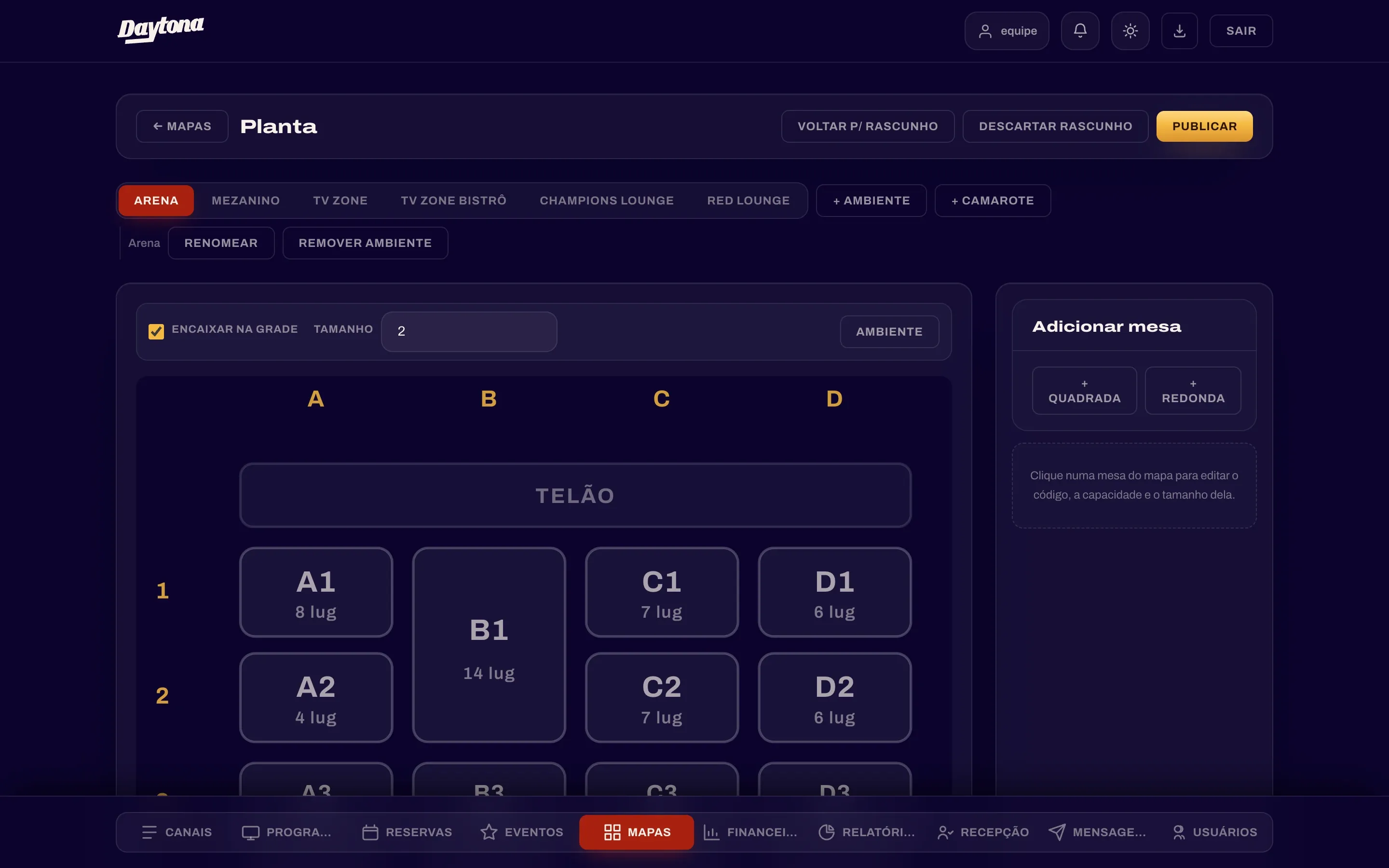
Staff panel: floor plan editor

Floor plan editor

Arena, Mezanino, TV Zone, TV Zone Bistrô, Champions Lounge and Red Lounge areas. Square or round tables, boxes, screen, draft and publish.

03 — staff panel

Staff panel

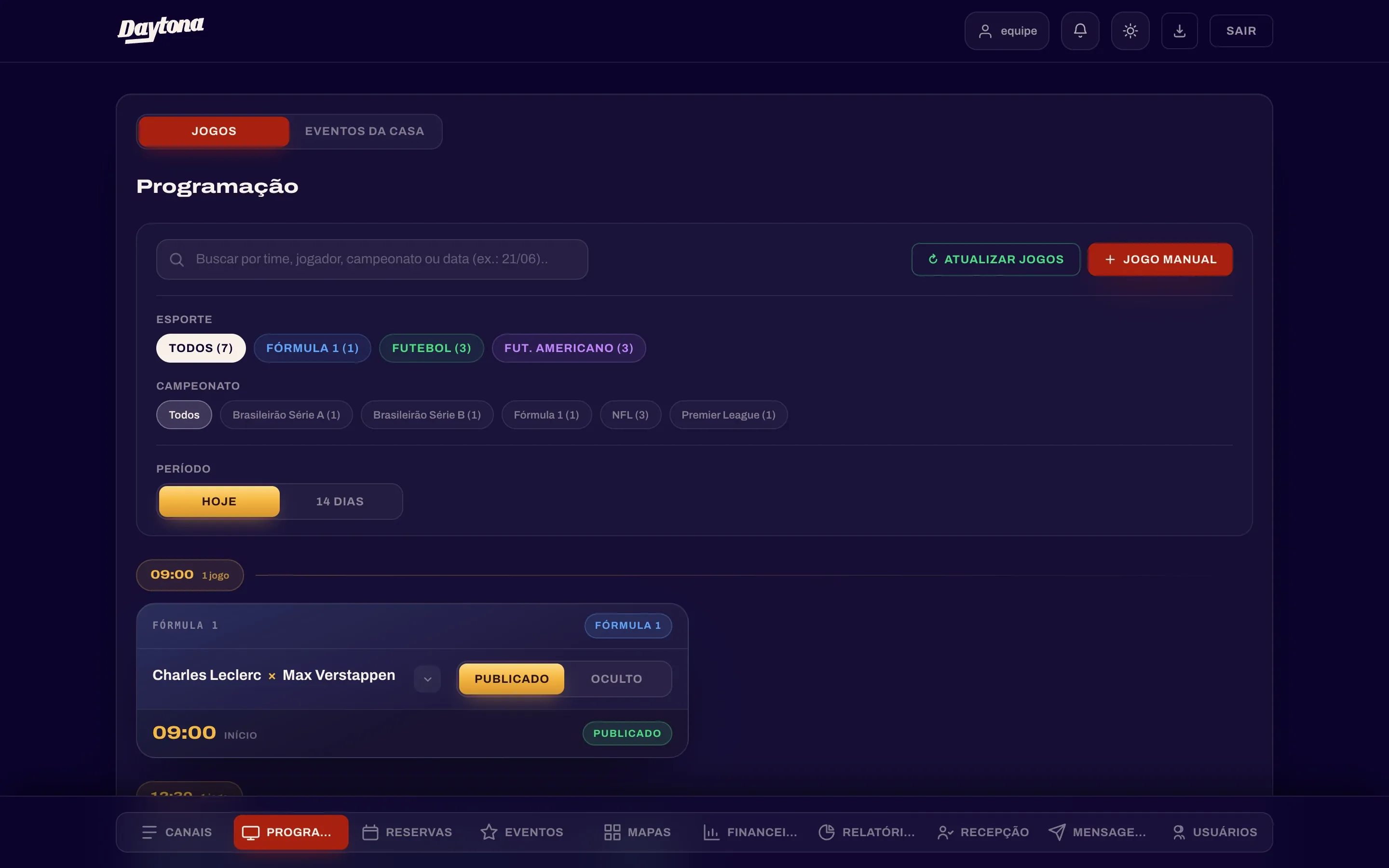
This is where the staff sets the screen schedule, follows the bookings and checks guests in. It can be installed as an app on phone and computer, and each account only sees the screens it was given.

how the pieces connect
  1. P·01

    Home and alerts

    Summary of the day and the event in progress, with arrivals and tables sold. Bell for new bookings, cancellations and event requests.

  2. P·02

    Channels

    Published games grouped by screen, with each one’s channels.

  3. P·03

    Schedule

    Publish or hide each game, mark highlights, pick the screen (Main, Sides, Mezanino TVs, Upper Deck TVs), commentary and channels. House events.

  4. P·04

    Events

    Public events with photo, description, areas and ticket batches. Regular days, private event requests and acts on a calendar.

  5. P·05

    Bookings

    Regular days, public and private events, guest lists and waiting list. Live table map, manual booking, comps, Pix refund and printable lists.

  6. P·06

    Maps

    Floor plan editor: drag and resize tables, capacity, shape, scenery and boxes. Draft and publish.

  7. P·07

    Front door

    Tonight’s list without prices, search that finds companions, arrived and missing count, QR scan and walk-in booking.

  8. P·08

    Finance and audience

    Report per event: occupancy by area, batch, sales source and pace. Audience: age range, region, groups and returning guests.

  9. P·09

    Users

    Staff accounts, permission per screen and tab, read-only accounts and a log of what everyone did.

Schedule

  • aSearch by team, player, competition or date
  • bFilters by sport and competition
  • cToday or the next 14 days
  • dPublished or hidden, game by game
  • eUpdate games and add a game by hand
Staff panel: games schedule

Match sheet

Luminee · project sheet nº DSB/2026
home team
Daytona Sports Bar
venue
Goiânia, Brazil
year
2026
started
June 2026
live since
July 2026
pieces
  1. 01Website
  2. 02Bookings
  3. 03Staff panel
screens
home · games · events · menu · book · table map · panel
made by
Luminee
Luminee studio
home team